
To rotate an artifact you have uploaded to TORSH Talent, navigate to the artifact you wish to rotate in your Videos & Files page. Click the 'gear icon' in the top, right-hand corner of your file's webpage and choose 'Rotate' from the dropdown menu.
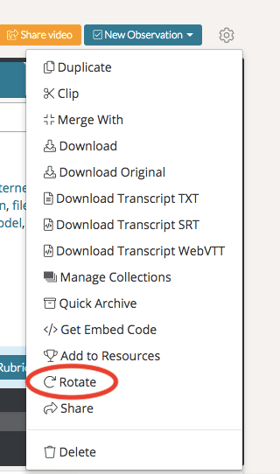
Rotating Videos
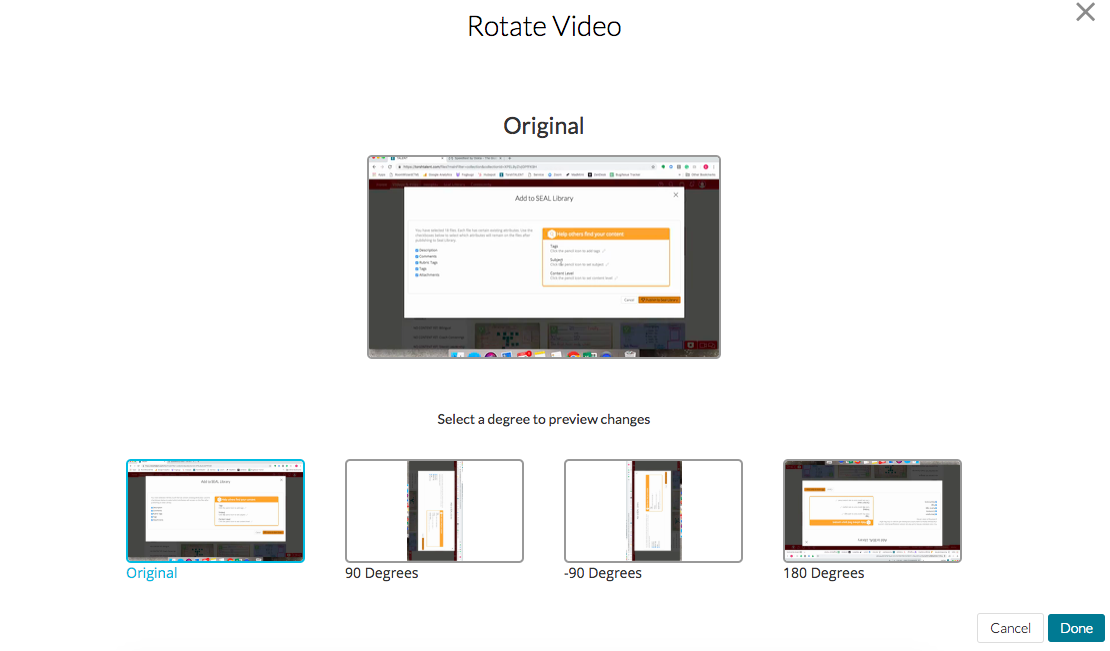
When rotating a video file, a pop-up window will appear with a preview of the various orientation options you can choose from. Choose your desired rotation and click 'Done' to save your changes.
Rotating Documents
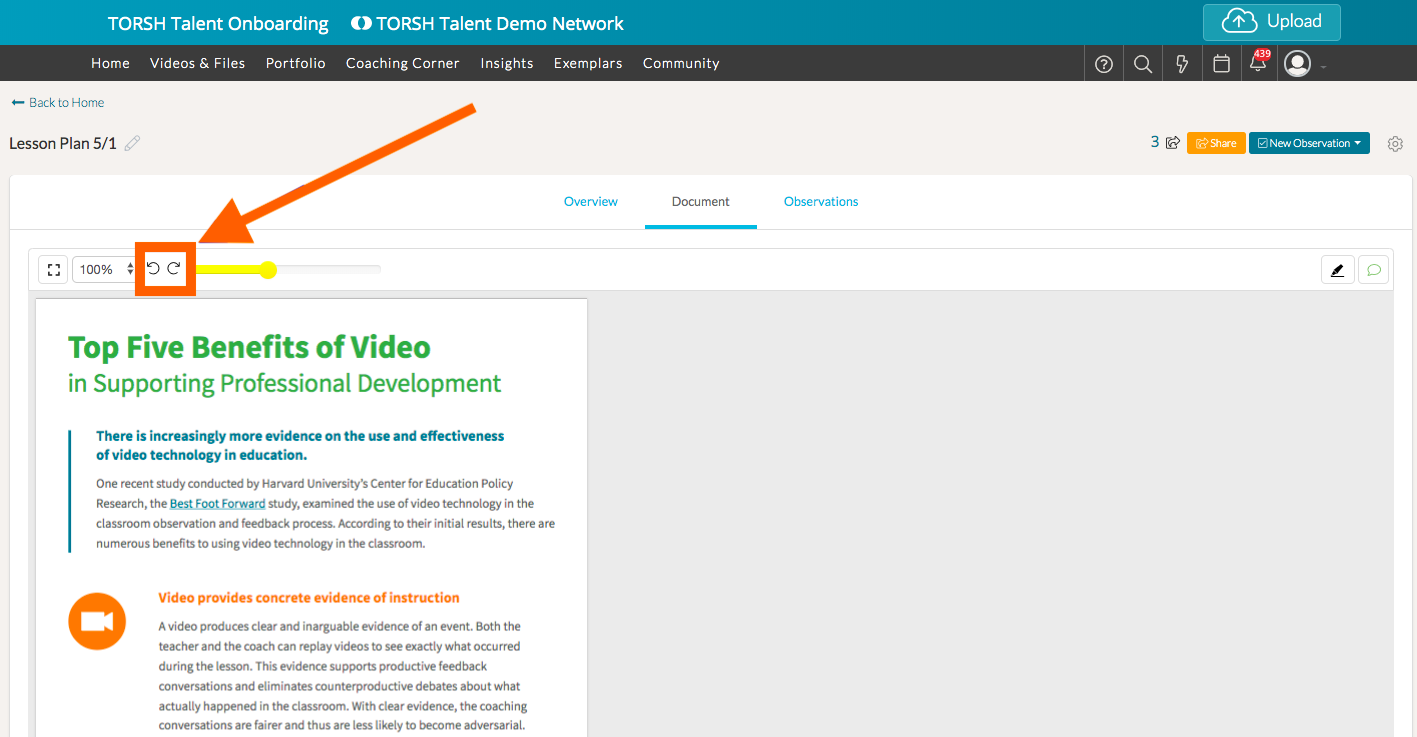
To rotate a document file, open the document and click on the 'rotate icons' to rotate the document clockwise or counter clockwise.
Rather watch a video? Check out our tutorial on Rotating Videos here. HIPAA users, click here.