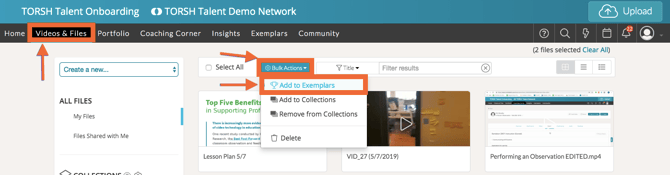
As a System Admin or a Coach, you can bulk add videos and files to your Exemplar Library! From your home page, select 'Videos & Files' from your navigation toolbar. Once on the page, select all of the videos you want to add to the Exemplar Library by checking the small box that appears in the upper left corner when you hover over the video.
Once all the files are selected, click 'Bulk Actions' and then choose 'Add to Exemplars.' You can then add more details about the files to help others find your content.