As an Admin, you can change the "alias" or name of the Data Forms feature to more properly fit the role it serves in your organization!
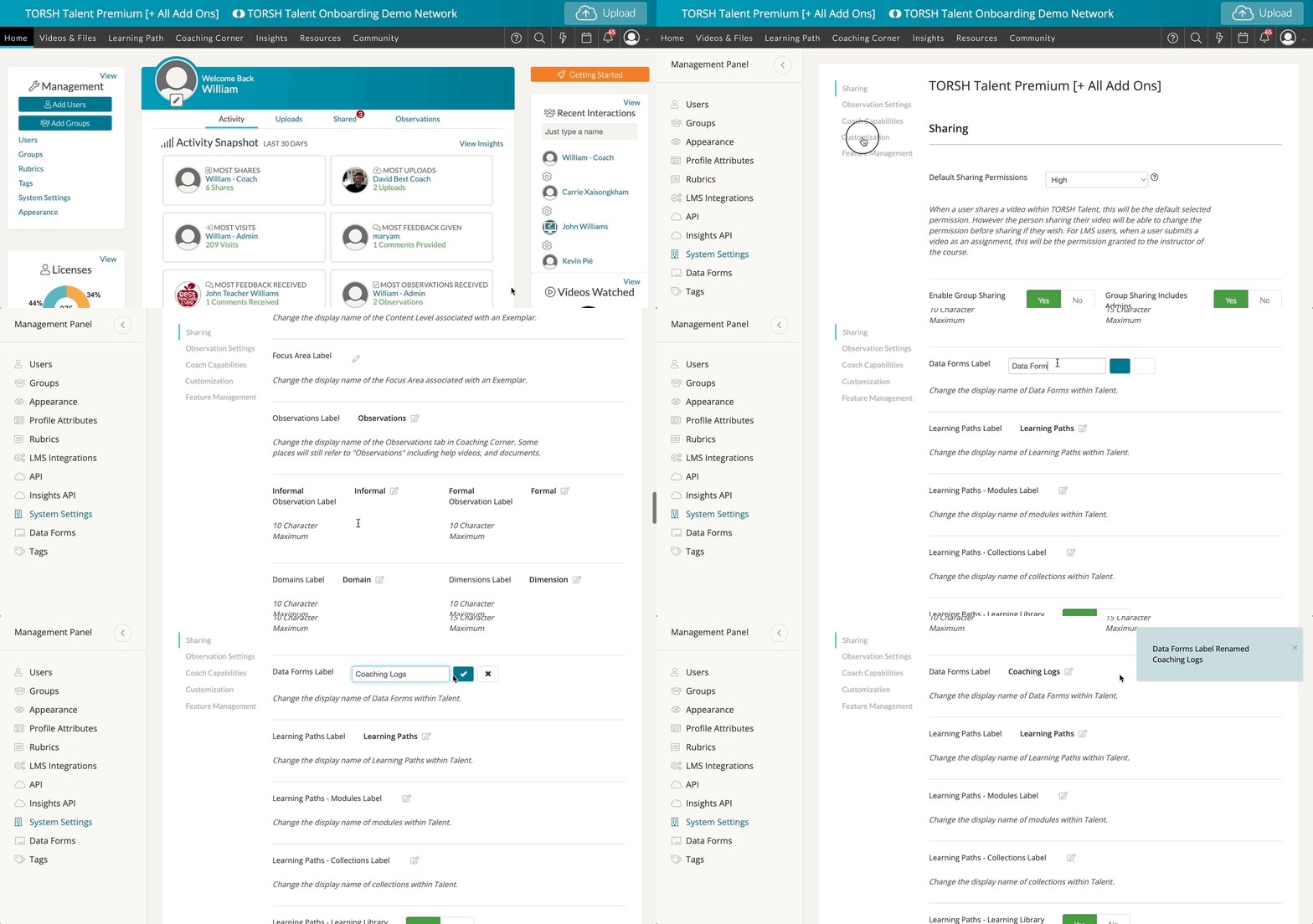
If you would like to change the alias of Data Forms, you may do so by visiting your 'System Settings.' First go to your Management Panel and select 'System Settings.' On your System Settings page, choose the 'Customization' option. Then scroll down to find the option 'Data Forms Label.' By default, the alias will display as 'Data Forms.'
Click on the 'pencil icon' to change the display name of Data Forms within Talent. Once you have made your changes, click the 'checkmark icon' to save your changes.