
System Admins have the ability to change the name of the Exemplar Library. To change the name, go to your Management Panel and click 'System Settings.' Once there, jump to 'Customization.'
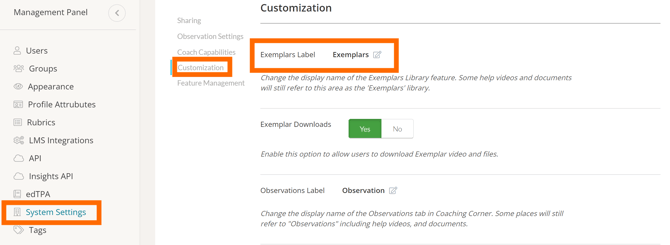
Then find 'Exemplars Label' and click the pencil icon next to the current name of your Exemplar Library and enter your preferred name. Click the blue checkmark icon to save your changes.