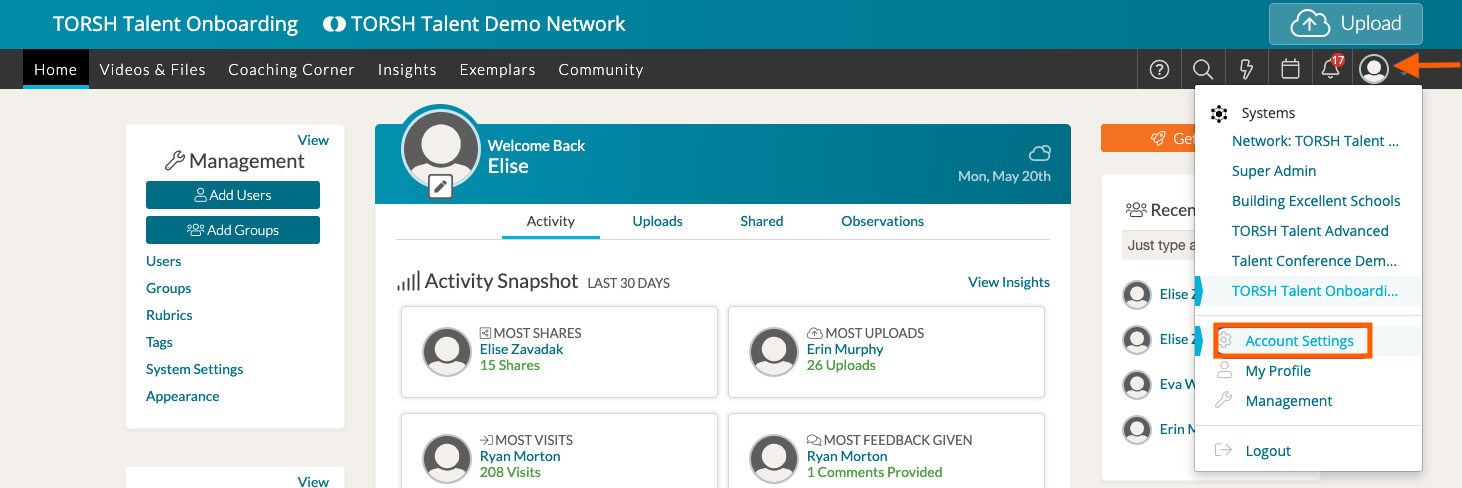
To change your email notification settings in TORSH Talent, click on your 'profile icon' in the top, right-hand corner of your navigation bar and select 'Account Settings' from the dropdown menu.
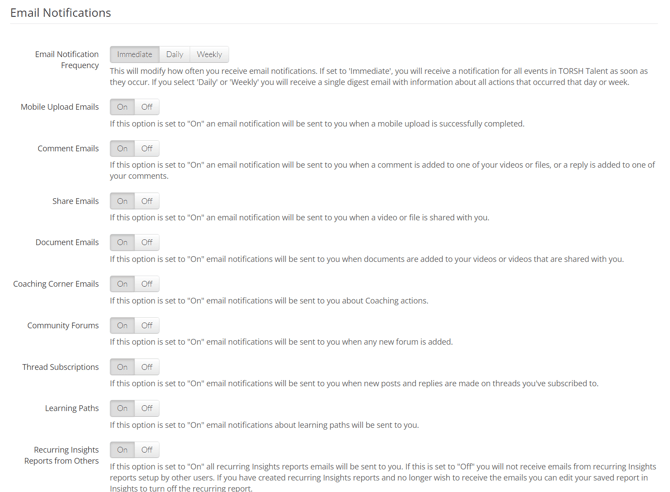
In your Account Settings, scroll down to the 'Email Notifications' section where you can turn various emails On/Off as well as control the frequency of your notifications.