
In TORSH Talent, you can clone and modify Self Assessments and Observations that you conducted as well as Observations and Self Assessments that have been shared with you.
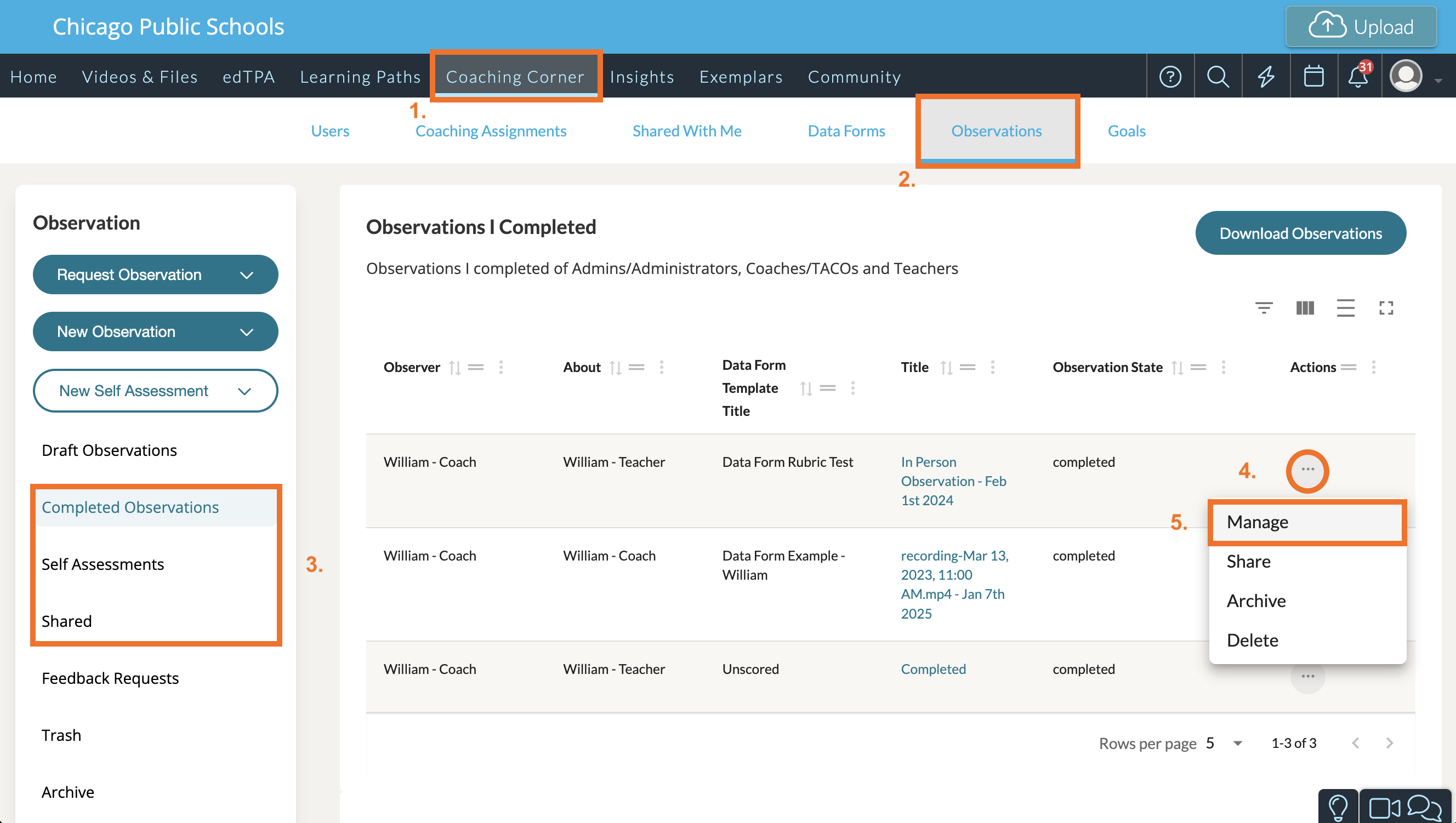
To do so, navigate to the completed Observation or Self Assessment that you want to clone and modify from one of the following lists found on the Observations tab in Coaching Corner:
- Completed Observations
- Self Assessments
- Shared
Then, click the '...' icon for the specific observation in the Actions column and select 'Manage.'
Once the Observation or Self Assessment is cloned, you can modify it. The original Observation will be added as an attachment. Click 'Complete' or 'Complete & Share' when you are done.