
The Request Video Observation component is a component of Learning Path modules that assigns learners the task of submitting a video file and then requesting for another user to observe the video using a specified data form template.
Depending on the settings of your Request Video Observation component, you will either be pre-assigned a specific template to request with or have to choose a specific template yourself. You may also be pre-assigned specific user(s)/group(s) who need to be requested as observers to your uploaded material, or you can designate the user(s) yourself.
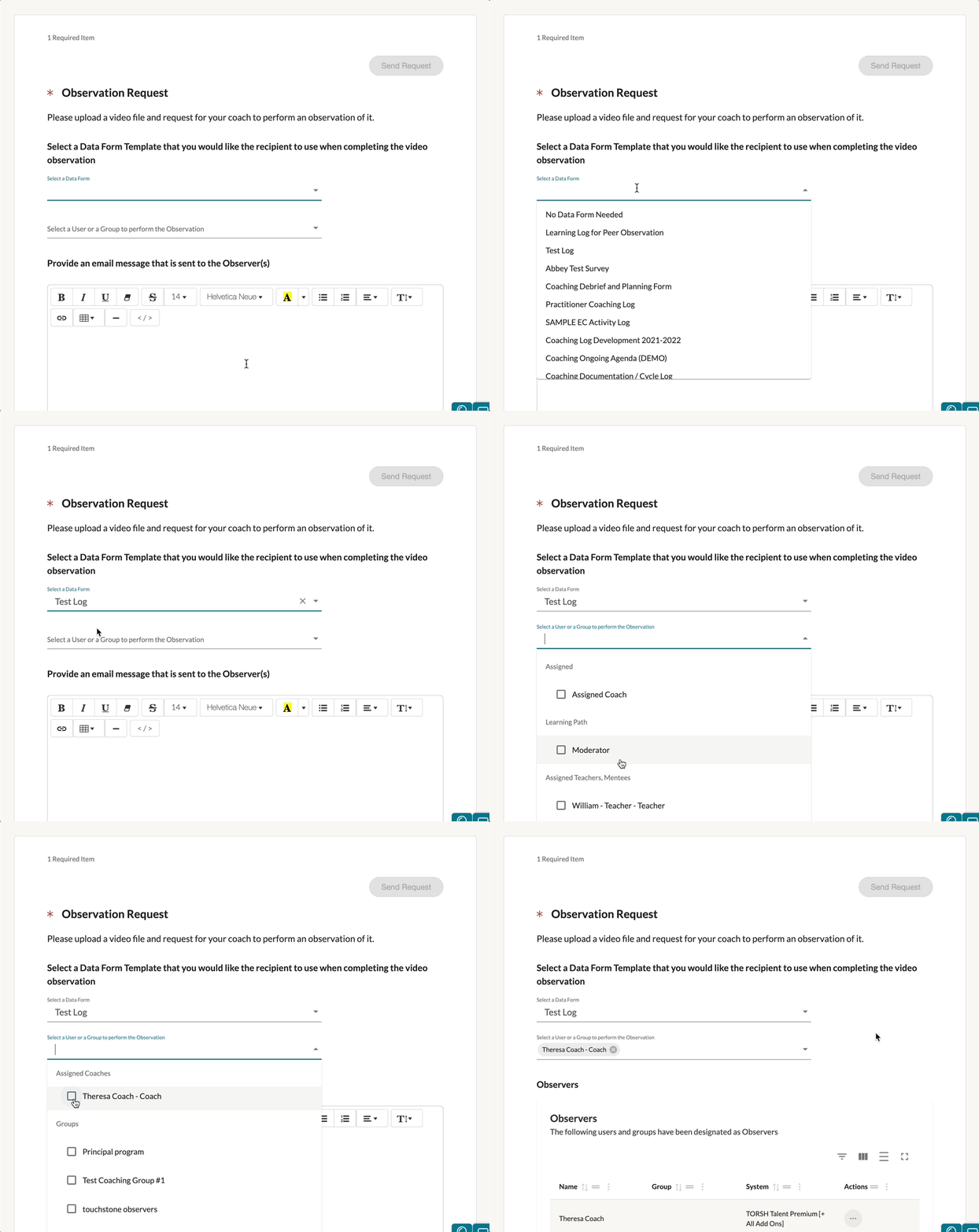
- If you need to choose a specific Data Form Template for the requested observer to observe with, click on the 'Select a Data Form' line and choose the template from the dropdown.
- If you need to choose a specific user to request the observation from, click on the 'Select a User or a Group to perform the observation' line and choose the specific user/group from the dropdown.
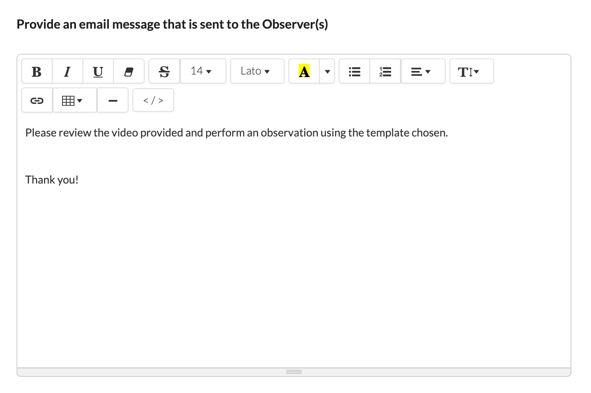
Next, feel free to include an email message to send to the user(s) you chose to request an observation from. This message will be included in the email notification that they will receive.
Lastly, scroll down and click on the 'Add a Video' button to add a video file to be observed. You can either upload a video yourself, choose to record a video, or you can choose a previously uploaded video from your account.
NOTE: If the moderator of this module has enabled a maximum time limit on the video file submission, you will not be able to record or upload a video longer than the specified time limit.
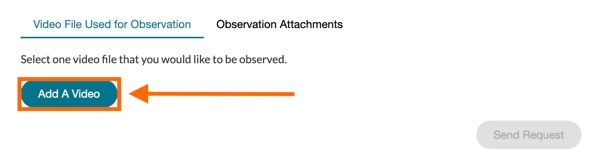
Once you have uploaded a video, you can also include any other attachments by clicking the 'Observation Attachments' tab.

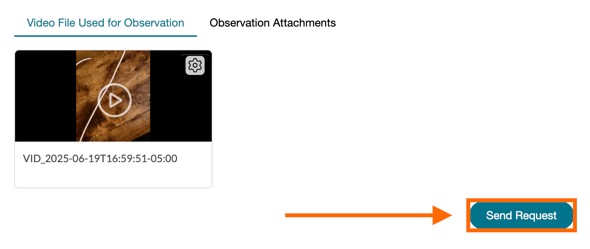
Once everything is ready, send the Video Observation Request by clicking the blue 'Send Request' button.
NOTE: Depending on the settings of our Request Video Observation component, you may need to wait for the observation to be completed before you can progress further in the module.
Once the observation you requested has been completed by the other user(s), you will see the completed rubric within the component itself. You should also find the observation shared with you, if it was shared. However, if the settings of the component hide the observation results from you, you will be unable to see the completed rubric.