
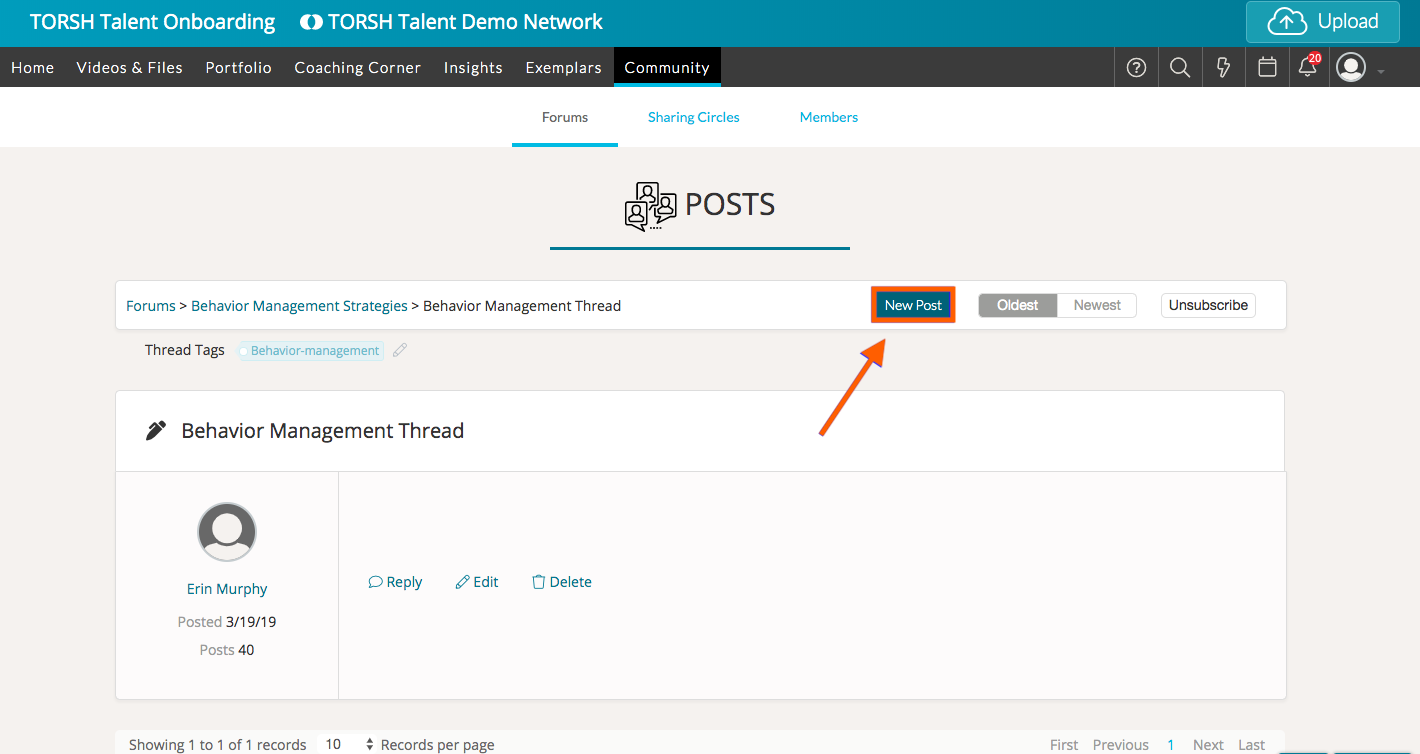
To create a new post in a Forum Thread, first go to 'Community.' This will bring you to the 'Forums' tab, wherein you can find all of the available forums inside your Group(s) and Sharing Circle(s). Next, open the Thread you want to post a response in. Once there, select 'New Post.'
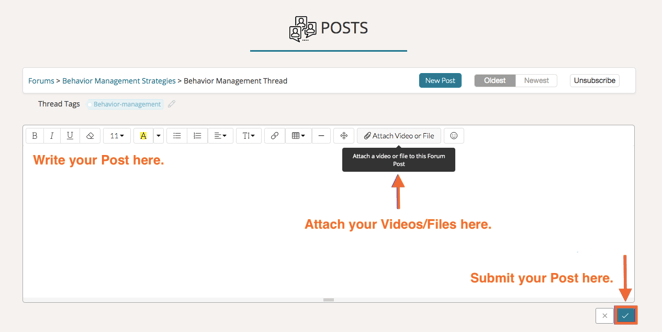
From here you can enter the text for your post and even attach videos or files from Talent. To attach artifacts to your post, simply press the 'Attach Video or File' button, and select a video or file you have already uploaded to Talent or choose to upload a new file to attach.
Click the 'checkmark icon' in the bottom, right-hand corner of your text box to save your post.
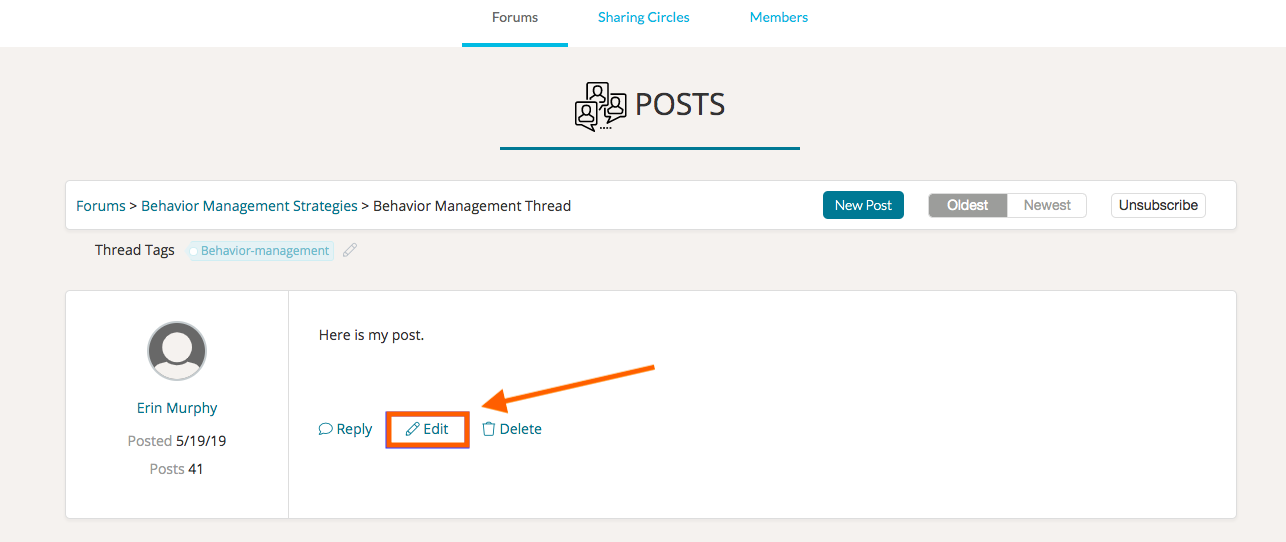
You can edit the posts you make by clicking the 'Edit' button, making your edits, then clicking the 'checkmark icon' to save your changes.
Once someone replies to your post, your post cannot be deleted.
Rather watch a video? Check out our video tutorial on Creating a New Post on a Thread here. HIPAA users, click here.