
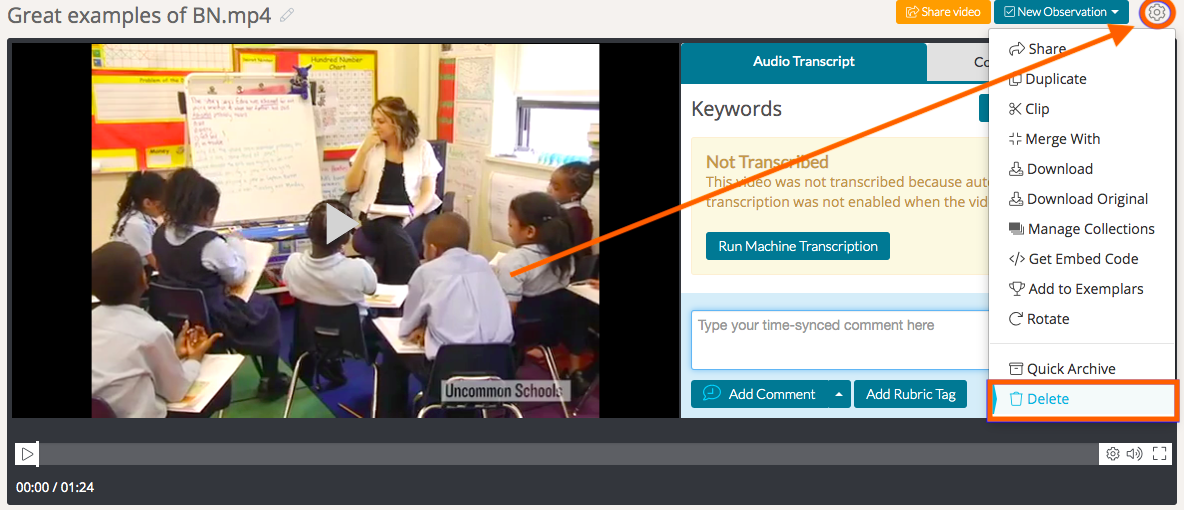
To delete a video or file that you have uploaded to Talent, open the artifact that you would like to delete. Then, hover over the 'gear icon' found in the top, right-hand corner of the webpage. Click 'Delete' from the bottom of the dropdown menu. A warning box will pop up that asks you to confirm that you want to delete the video.
If you delete a video from Talent, the comments and rubric tags associated with the video will be deleted as well, so make sure you export any notes you may need before you delete the video.
Rather watch a video? To learn more about downloads and deletion, check out our video tutorial here. HIPAA users, click here.