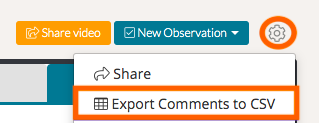
On TORSH Talent, you are able to download any comments that have been added to your video uploads. To do so, simply navigate to the 'gear icon' on the top right-hand corner of your video and select 'Export Comments to CSV.' This will export all the comments from the video to a CSV file.
You may also download the comments from any videos that have been shared with you at High Permissions.