
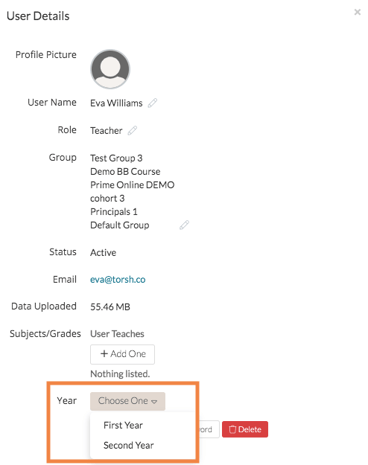
If you have setup a dropdown Profile Attribute as an Insights filter, you are able to manage your users' responses to these questions/prompts to help ensure your data integrity. To do so:
-
1. Navigate to your Management panel. Select the 'Users' tab.
-
2. Click the gear icon in the Actions column of the user you would like to edit. A pop-up will appear listing the user's information.
-
3. Click the pencil icon next to the Profile Attribute that you would like to edit.
-
4. Select the correct response.
Note: You cannot edit the responses of a free-text or checkbox profile attribute.
To learn more about creating and managing profile attributes, click HERE.