By default, users in the Coach and Admin roles have the option to embed videos. In order for users in the Mentee role to be able to embed videos, the System Admin must enable this feature via their System Settings page.
If the video belongs to you, or has been shared with you with High Permissions, you can grab the embed code to make the video visible anywhere you use the embed code. This means that people outside of the Talent platform will be able to view the video.
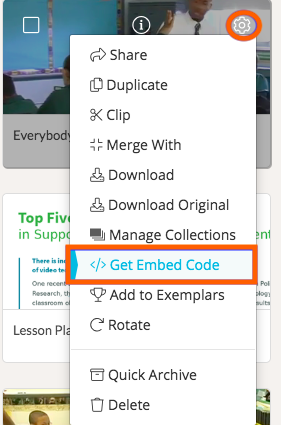
To copy a video's embed code, either go to the video specifically, or find the video on your Videos & Files page. Click on the video's 'gear icon,' and a dropdown list will appear. Next, choose 'Get Embed Code.'
You will then see a pop-up with the video's embed code included. Highlight and copy the code. You can now paste the code anywhere that allows for embedded video.
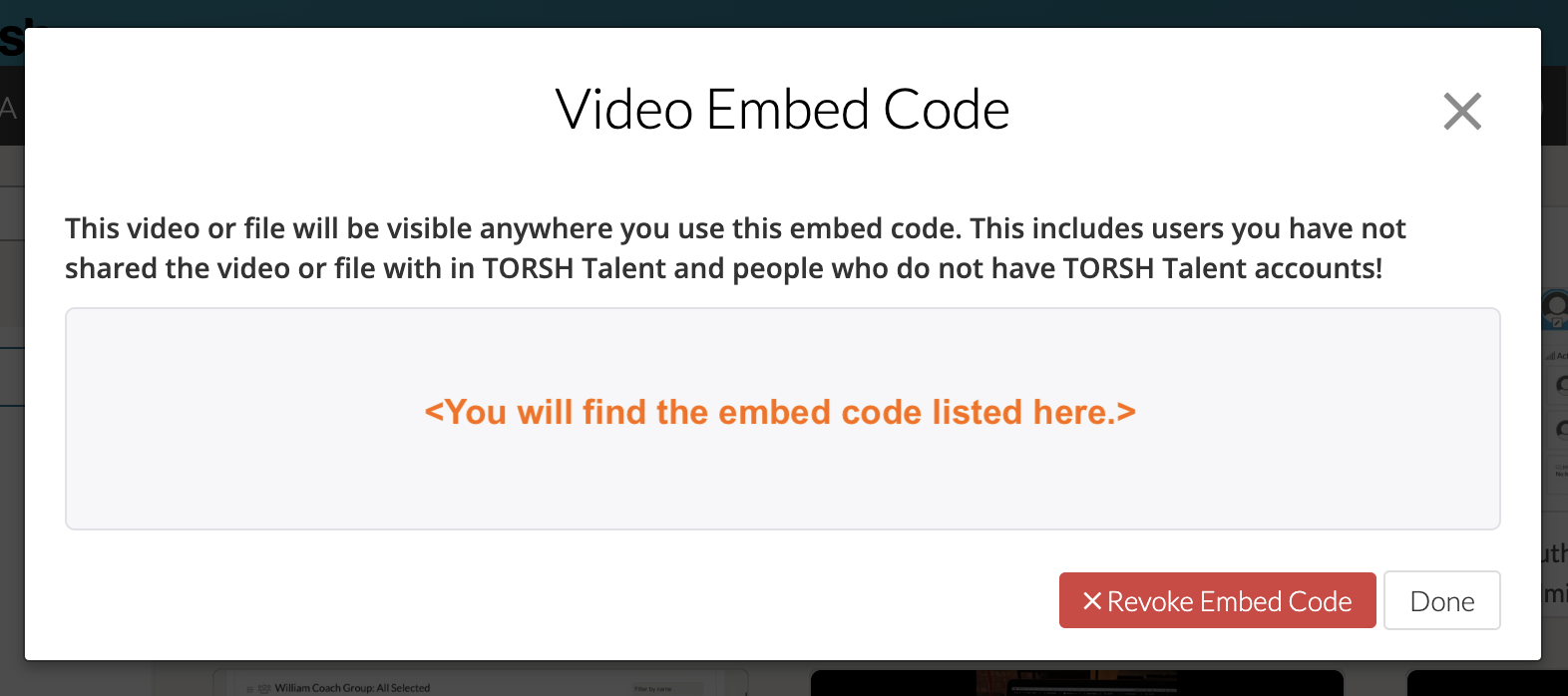
You also have the option to 'Revoke Embed Code.' Doing so deactivates the original embed code copied for the specific video upload and creates a new one. Only do this if you are certain you do not want the original embed code used to work where it has been shared elsewhere.