In TORSH Talent, you can export an Observation or Self Assessment to PDF! To do so, first navigate to 'Coaching Corner' and click the 'Observations' tab.

In the left side panel, select either 'Completed Observations' or 'Draft Observations' depending on the status of the observation form you wish to export. If the form was completed as a Self Assessment, click 'Self Assessments' on the left-side panel instead.
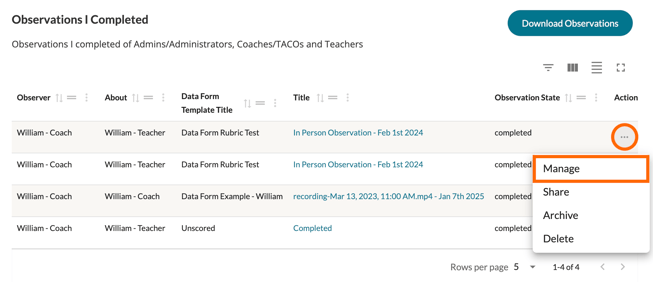
Next, find the observation/self assessment form you would like to view and hover over its '...' icon. In the dropdown menu, click 'Manage' to open the form.
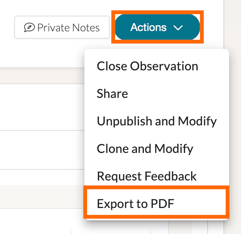
When viewing your form, click on the 'Actions' button in the top, right-hand corner to display a list of options. Click 'Export to PDF.'
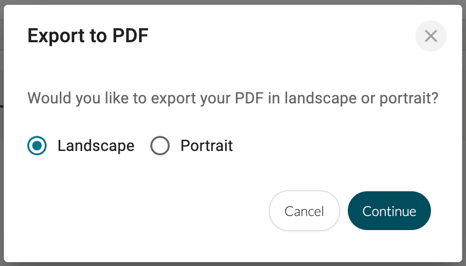
When you choose to Export to PDF, you will then be prompted to choose between Landscape or Portrait orientation. Choose your orientation, and then click 'Continue,' and the PDF will take a few moments to generate before opening in a new tab; wherein, you can choose to download or print a copy for your records.