To know if a video or photo has successfully uploaded to your TORSH Talent account, you can log in to the platform via a web browser and navigate to your 'Videos & Files' page.
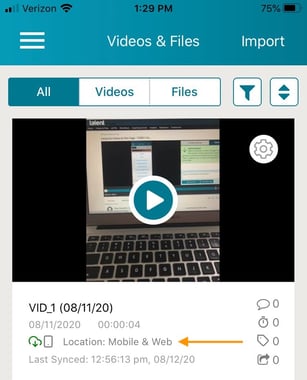
If you are using our TORSH Talent mobile app, any videos or photos that have successfully uploaded to your account will have a green cloud icon and say 'Location: Mobile & Web' on the preview of the file along with the 'Last Synced' time and date.