
As a System Admin, you can manage the enrollment of an edTPA program from your Admin Management Panel. Locate the Management Panel on the left-hand side of your home page. Click 'View.'

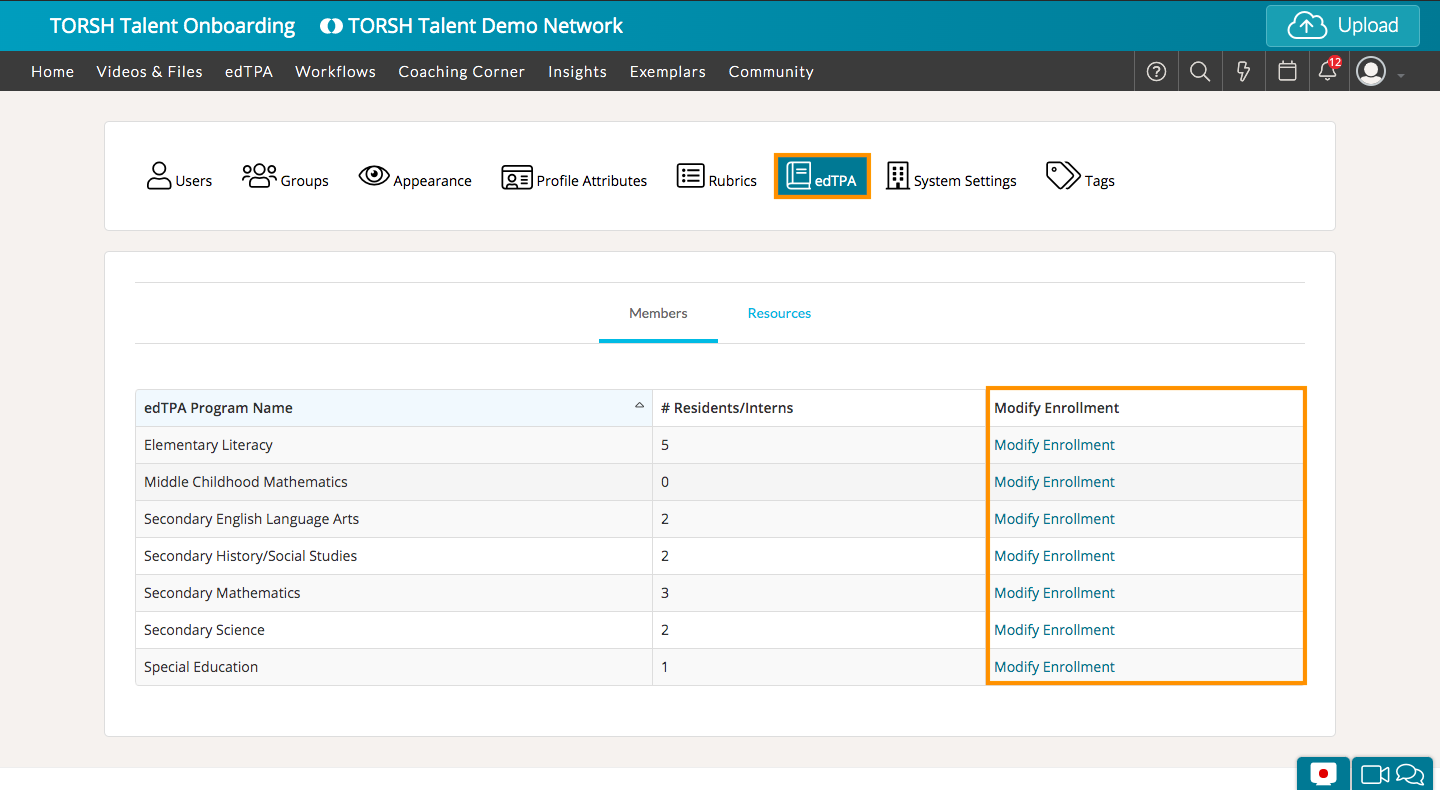
On the next page, click 'edTPA' on the left-side panel. Then select the 'Members' tab. This will display each edTPA program.
To modify the enrollment of members for a specific edTPA program, click the 'Modify Enrollment' button for the program in which you want to make changes.
NOTE: You can only enroll users that are in the Mentee role to an edTPA program.
You can choose to search, scroll the 'Not Enrolled' list, or filter by a group to easily enroll people from specific groups. Then click the checkmark next to the name(s) of the Mentee(s) you want to enroll. Click the orange 'Add+' button to move the Mentee into the program.

Once you've added the Mentee(s) to the subject, make sure you click the 'Apply' in the bottom, right-hand corner to save your changes.