
- Archiving/Unarchiving Rubric Templates
- Enabling/Disabling the 'Enabled for Rubric Tags' setting
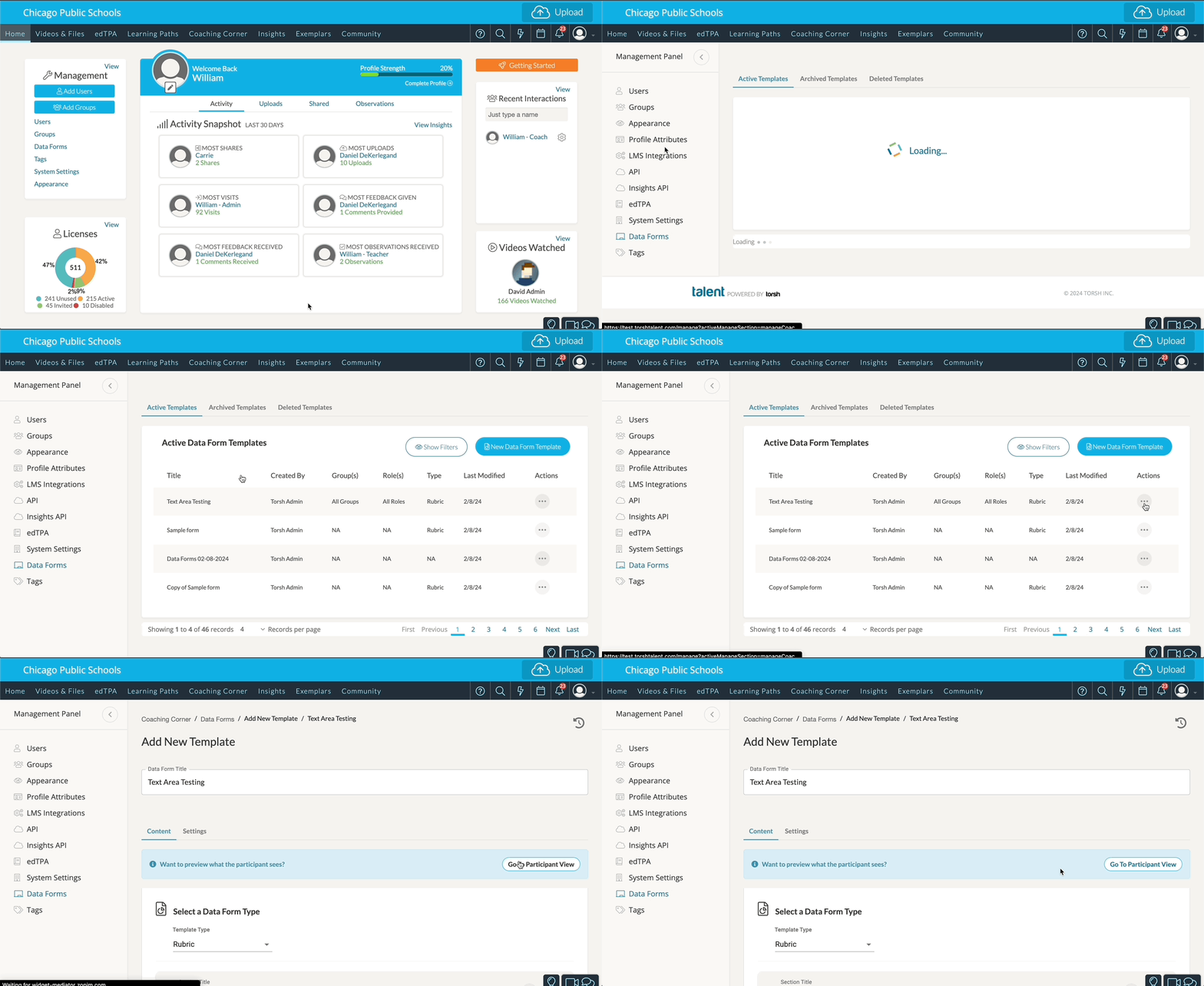
To remove specific rubric tags from your system, you will want to manage your rubric templates. Rubric templates are a type of data form. To manage the visibility of your rubric templates, first go to your Management Panel and choose 'Data Forms.'
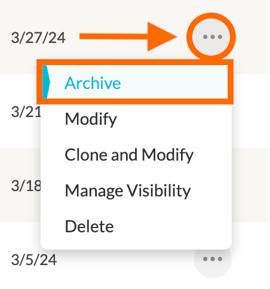
Archive/Unarchive a Rubric TemplateArchiving a rubric template will remove the rubric template from use in the system, and it will remove its rubric tags from use as well. To do so, find your rubric template and click on its '...' icon. In the dropdown menu select 'Archive.'
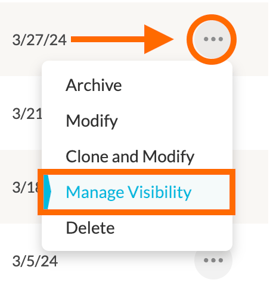
If you want to restore the rubric template for use, go to Management>Data Forms>Archived Templates.Manage a Rubric Template's Rubric TaggingDisabling the 'Enabled for Rubric Tags' setting of a template only disables a rubric's tagging function. To do so, find your rubric template and click on its '...' icon. In the dropdown menu select 'Manage Visibility.'
This will take you to the rubric's Settings page. Scroll down to the 'Rubrics' section and disable the 'Enabled for Rubric Tags' setting.
