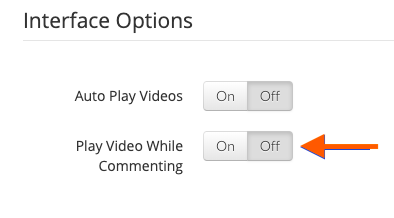
By default, your TORSH Talent account is set up to stop a video from playing while you are leaving comments. If you notice your video is playing while you are leaving comments, follow the steps below to adjust this setting:
-
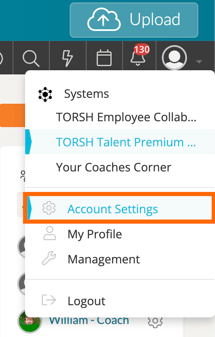
First, navigate to your Account Settings by clicking on your 'profile icon' in the top, right-hand corner of your Talent webpage. A dropdown list will appear. Click 'Account Settings.'
- On your Account Settings page, scroll down to 'Interface Options' and ensure 'Play Video While Commenting' is toggled to 'OFF.' This will ensure that your video will pause while commenting.