
With an internet connection, you can see all videos/files that were uploaded or shared with you on the Web version of the Talent platform. When you navigate to the 'Videos & Files' page on the mobile app, videos/files that were uploaded/shared via the web version will have a 'Web' icon. You can share, comment, or rename these videos from the mobile app!
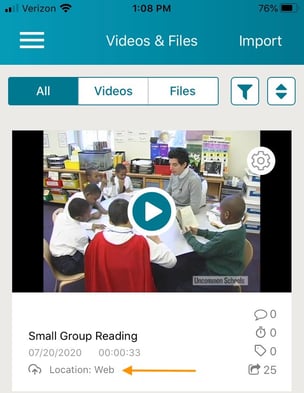
For more information on how to share, comment, or rename, see below:
- How do I share a video or file on the TORSH Talent App?
- How do I comment on a video on the TORSH Talent App?
- How do I rename my video or file on the TORSH Talent App?