NOTE: Every Bluetooth or wired microphone is different, so please ensure you follow your microphone's specific instructions for connecting to your device.
First, connect your microphone to your device. Then open the TORSH Talent mobile app and login to your account.
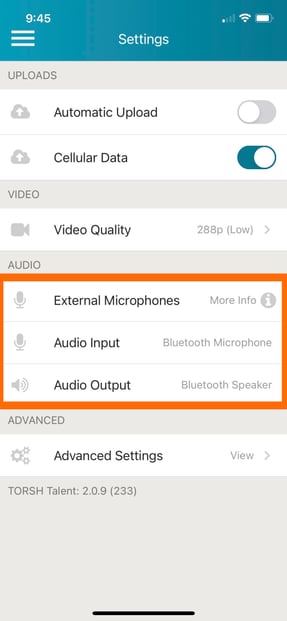
In the TORSH Talent mobile app, tap the menu icon in the top, left-hand corner and go to 'Settings.' Scroll down the Settings page and find 'External Microphones' under the AUDIO section. Your microphone should now be an option to use as an External Microphone/Audio Input.