
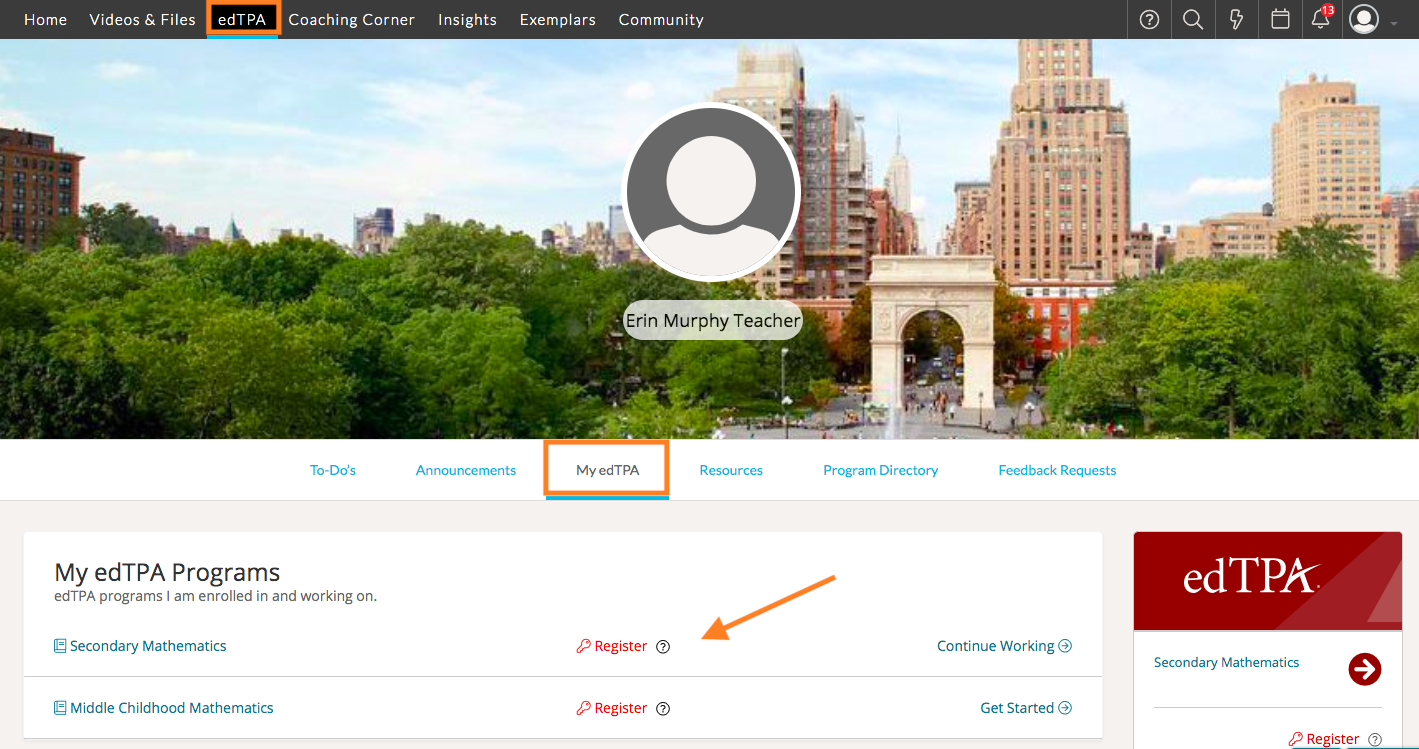
To register for your edTPA program in TORSH Talent, first navigate to 'edTPA' on your navigation toolbar. By default, this will bring you to the 'My edTPA' tab. There, you will see the edTPA programs you are enrolled in.
Click the red 'Register' button next to your program to be directed to www.edtpa.com. On the edTPA page in Pearson, go to the 'Candidates/Register' page for more information.
Once you finish registering for a program through Pearson, you will be emailed an Authorization Key. Please keep this key, as it will be necessary to transfer your completed portfolio from TORSH Talent to Pearson.
After registering, you can always login to Pearson directly to retrieve your Authorization Key.