
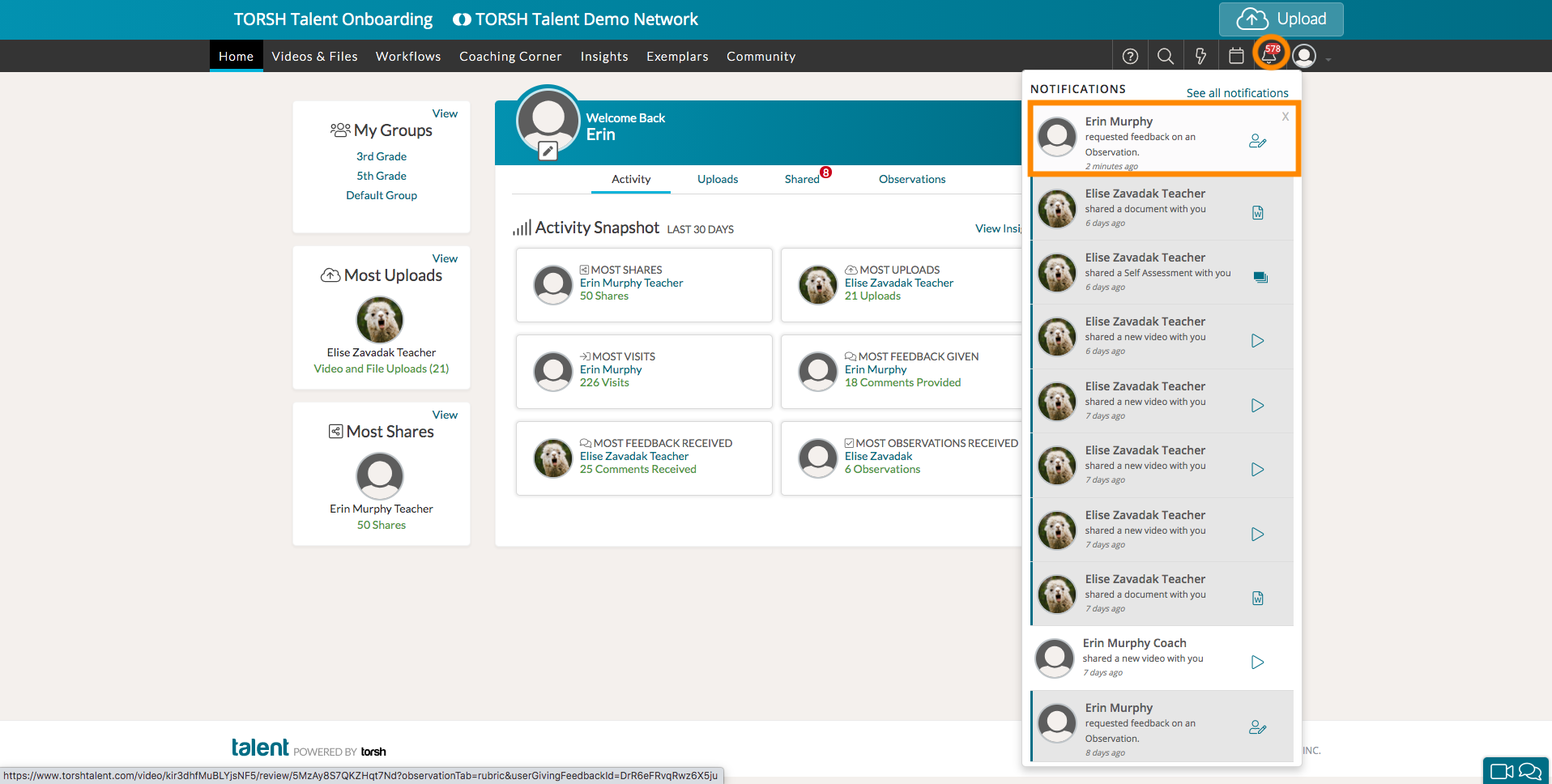
If a user issues you a Feedback Request to you on an observation or self assessment, you can navigate directly to the form by clicking the notification in your Notification Center.
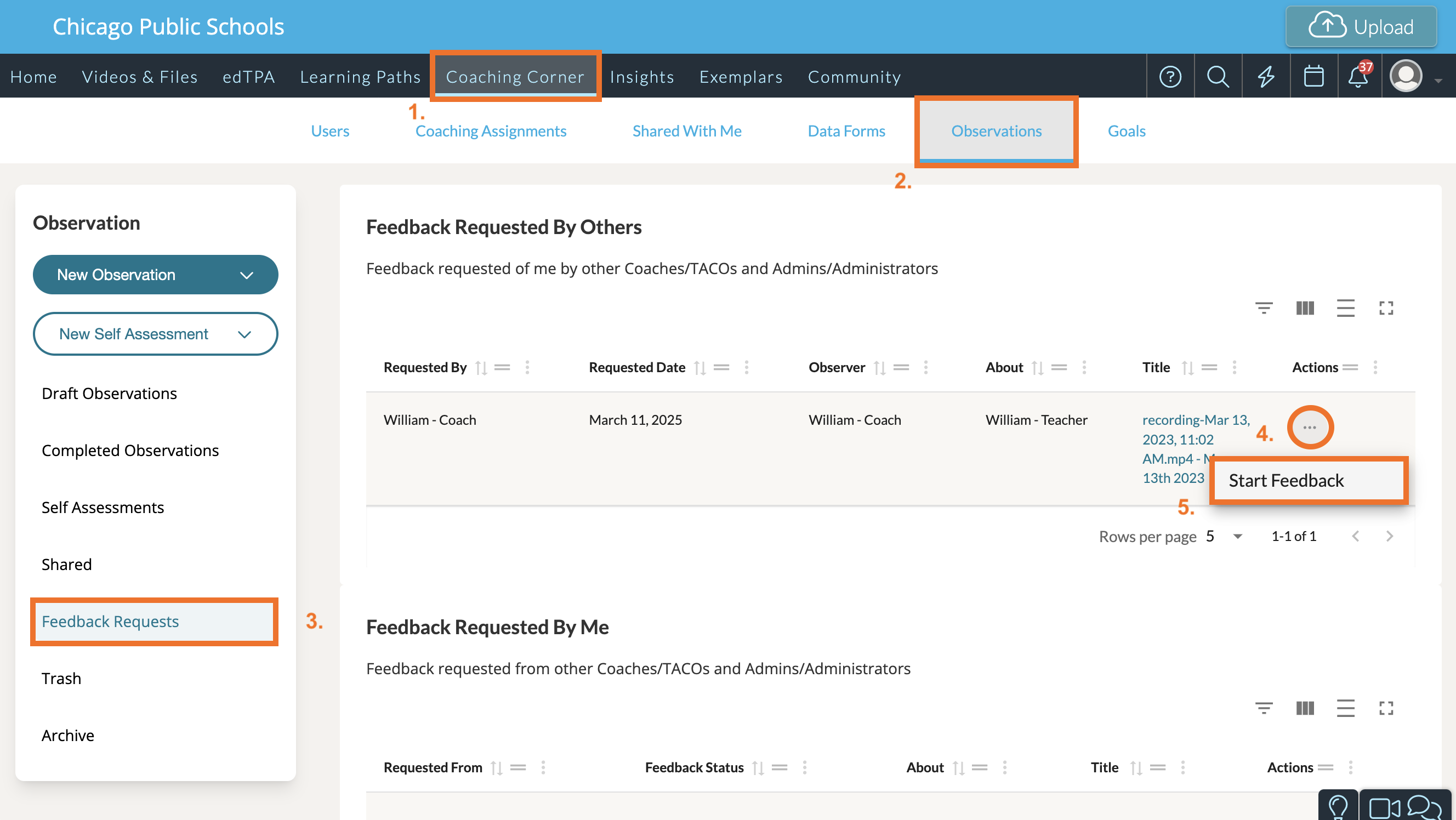
You can also locate any Feedback Request by going to 'Coaching Corner' in your top navigation bar. From there, click on the 'Observations' tab. Then select 'Feedback Requests' on the left-side panel. Click the '...' icon for the feedback request listing and select 'Start Feedback.'
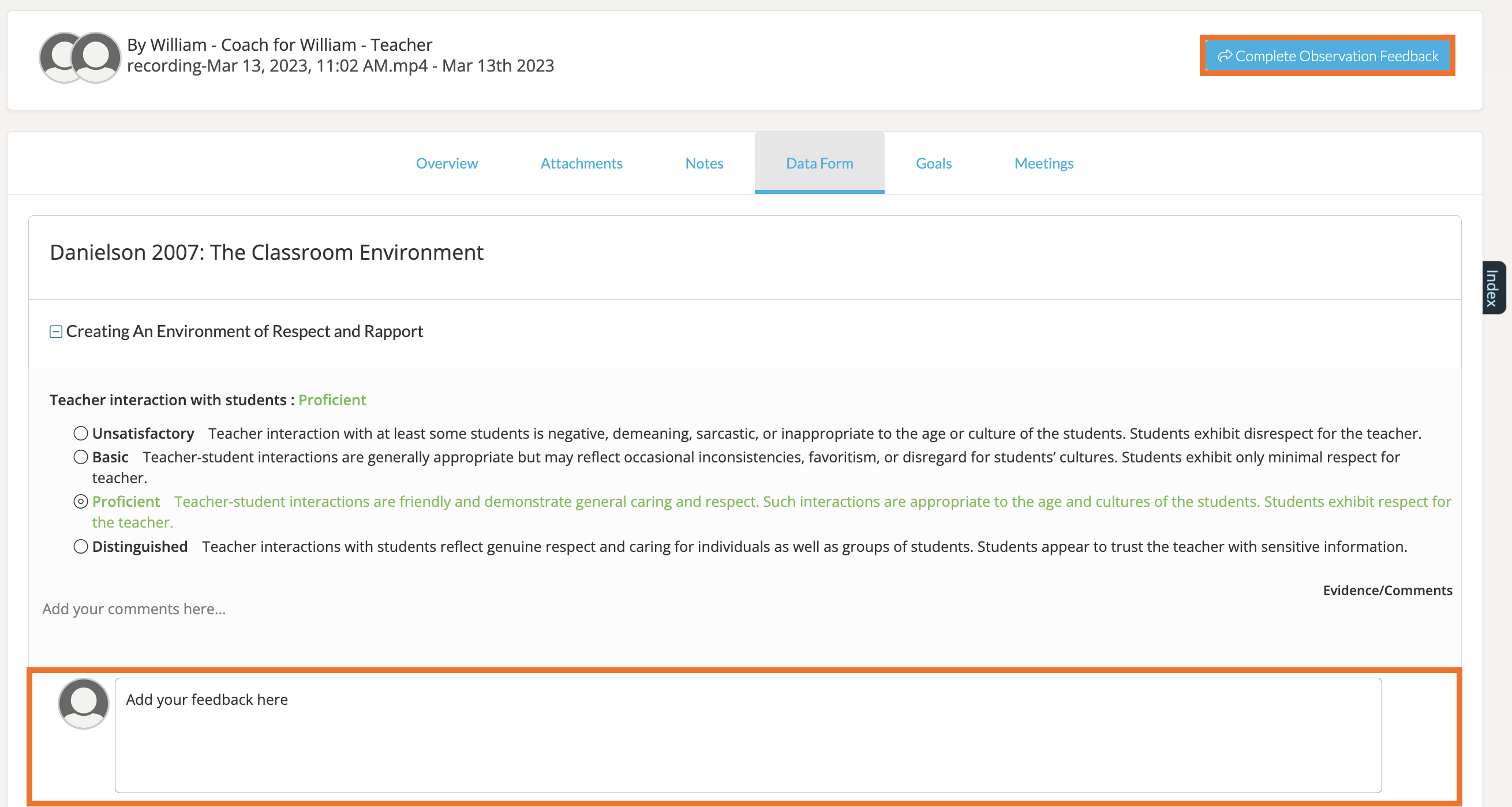
This will open the form in a new page, complete with Observation Feedback comment boxes in each answer choice space. Scroll through the rubric and provide your feedback in the comment boxes provided. Click 'Complete Observation Feedback' up at the top when you are done.
Once the observer receives your feedback, they can then make the suggested changes and either modify or complete their observation or self assessment fully.
Curious to learn how to request feedback on a private observation? Click here.