
As an Admin, you can restrict Coach and Mentee role types from creating forums and threads by first navigating to your to 'System Settings' found on your Management Panel.
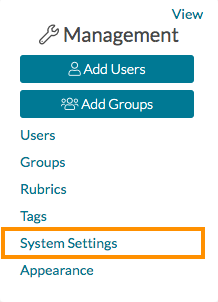
On your System Settings page, use the navigation bar on the left to jump to 'Feature Management.' Next, find 'Enable Forum Creation by Role' and select 'No' to disable Forum Creation for Coaches or Mentees.
