Note: Unavailable to users whose system has the 'Enable Auto Delete of Uploaded Videos' setting enabled.
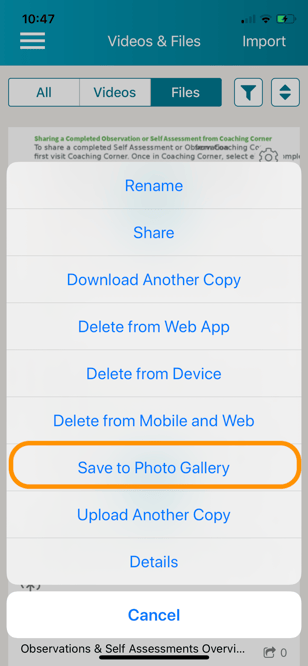
To save a video recorded from the TORSH Talent mobile app to your device's camera roll or to save a file viewed in the TORSH Talent mobile app, click on the gear icon next to the video or file in your 'Videos & Files.' Select 'Save to Photo Gallery.'