
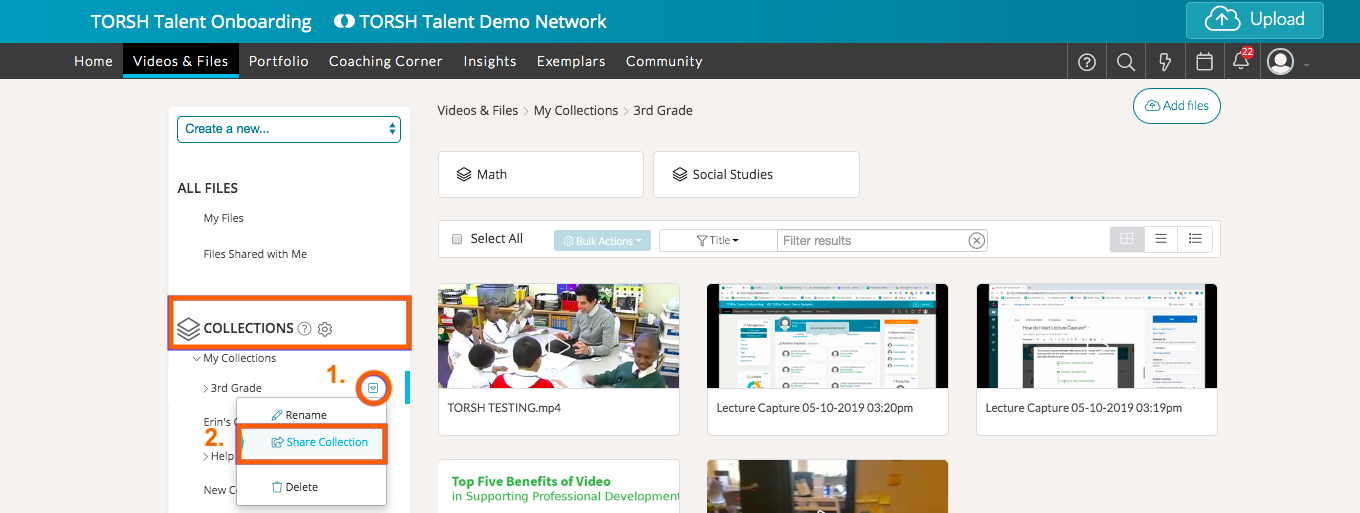
To share a Collection with other users, navigate to the 'Collections' section of your 'Videos & Files' page.
Expand the 'My Collections' section and click on the collection you want to share. Hover over the down arrow icon and select 'Share Collection.'
You can then choose the users you want to share with and select the sharing permission level. Then, depending on the sharing permission, the users will be able to add artifacts to your Collection.
Rather watch a video? Check out our tutorial on Sharing Collections here. HIPAA users, click here.