
If you have been invited to join more than one TORSH Talent system with the same email address, you can easily switch between your accounts in these systems once you have logged in.
Contents:
I. Switching Accounts on the Website
II. Switching Accounts on the Mobile App
Switching Accounts on the Website
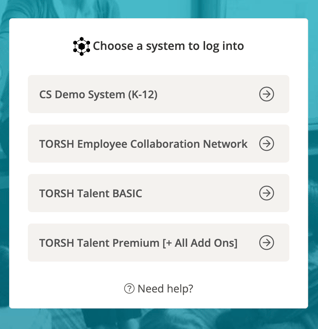
There are two ways you can switch accounts on the TORSH Talent website. When you log into your account, you will be redirected to a menu of different systems you are currently a part of. Click on the system name to login to the specific account you would like to view.
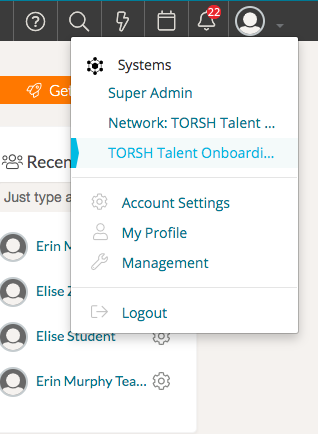
You can also switch to a different account after you have logged in by clicking on your 'profile icon' in the top, right-hand corner of your Talent webpage and choosing the system you would like to log into.
Once in that system, you can upload videos to that particular account and collaborate with other members in that system.
Switching Accounts on the TORSH Talent Mobile App
If you need to switch accounts on the TORSH Talent mobile app, first login to your account. Then click on the 'menu icon' in the top, left-hand corner and then click 'Switch System' under your name at the top. On the next page, choose the system you would like to upload to for this login session.
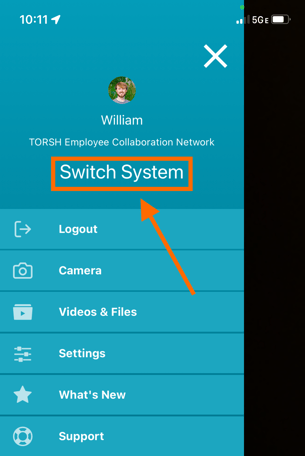
NOTE: Whichever system you are logged into on the app will be the system your recordings get uploaded to.