
To see all of the files that you have shared with others, first click on 'Videos & Files' in your top navigation bar. Then click the 'My Files' filter.

Next, switch your view of your Videos & Files page to one of the more condensed views all the way to the right.
- Click on the 'three line icon' to view your Videos & Files page as a descending list of video thumbnails, one on top of the other.
- Click on the 'bulleted three line icon' to view your Videos & Files page as just a descending list without any images.
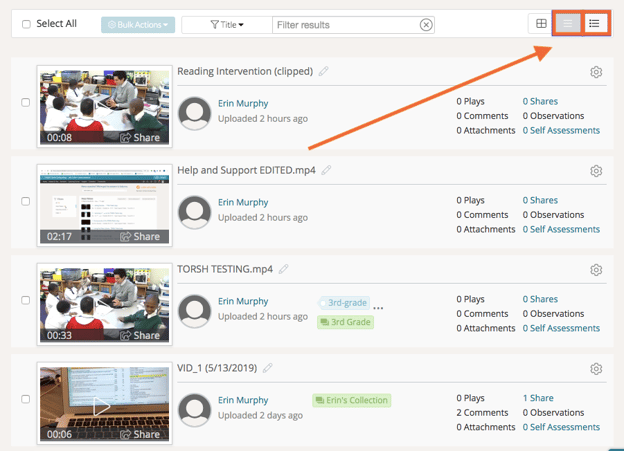
You will then see more data about your artifacts, like the number of 'Shares' it has. If you hover over the number of shares, you will see who the artifact was shared with.
