- Admins: When an Admin uploads or adds an artifact to the Exemplar Library, they can set the visibility for any or all of the groups in their system. Admins have the ability to manage or delete any exemplar artifact or collection.
- Coaches: When a Coach uploads or adds an artifact to the Exemplar Library, they can set the visibility for any or all of the groups that they are members of in their system. Coaches can only manage or delete an exemplar artifact or collection that they’ve added or created.
- Mentees: Mentees’ artifacts can be featured in the Exemplar Library when they are shared with a Coach or Admin at the High permission level. Mentees can view, share, or download an artifact in the Exemplar Library if the visibility is set for a group they are a member of.
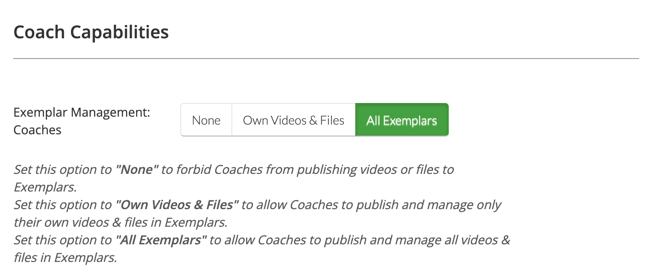
Admins can grant Coaches more or less exemplar management abilities by selecting the desired option from the ‘Exemplar Management: Coaches’ section of their System Settings page. When ‘All Exemplars’ is chosen, Coaches function like Admins in the Exemplar Library.