
As an System Admin, when you click on 'Learning Paths' on the top navigation bar, you should see (4) different tabs (depending on your System Settings):
- My Modules
- Learning Library
- Modules Management
- Achievements
To author a Learning Path module and/or course, click on 'Modules Management.'
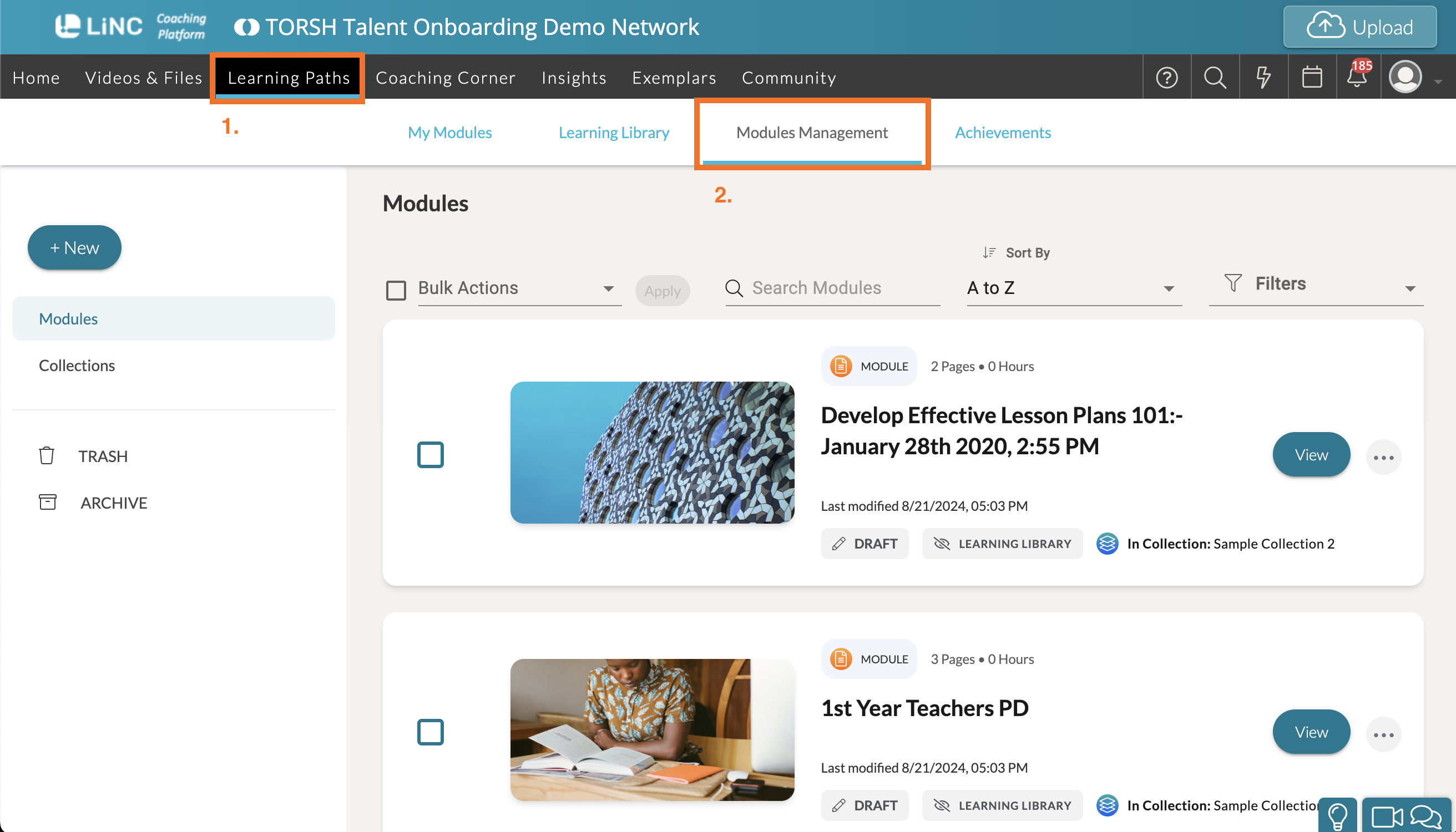
- Modules Management is where you will go to author and manage the settings of various modules and courses for your system.
- My Modules is where you will see any modules/courses in which you were invited to participate. Please note that if you are a participant in a Learning Path module, you will not have any management capabilities in that specific Learning Path.
- Learning Library is where you will find modules/courses that are available for you to enroll in. This feature can be enabled and disabled for view by other users in your system via your System Settings.
- Achievements is where you will find all users awarded certificates for completed modules and/or courses within your system. As an Admin, if you have earned any certificates, you will find them here, too.
Authoring Learning Path Modules & Courses
If you are an Admin or a Coach with Learning Path authoring capabilities, you can build and manage Learning Paths by selecting the 'Modules Management’ tab.
To start creating a new module/course, select ‘+New.' Then select if you'd like to create a Module or a Course to get started!

Further Reading
-
To learn more about adding a page to a Learning Path module, please read this Help Center article here .
-
To learn more about adding modules to a Learning Path course, please read this Help Center article here .
-
To learn more about how to enroll Learners and Moderators to Learning Path Modules, please read this Help Center article here .
-
To learn more about how to enroll Learners and Moderators to Learning Path Courses, please read this help Center article here .