
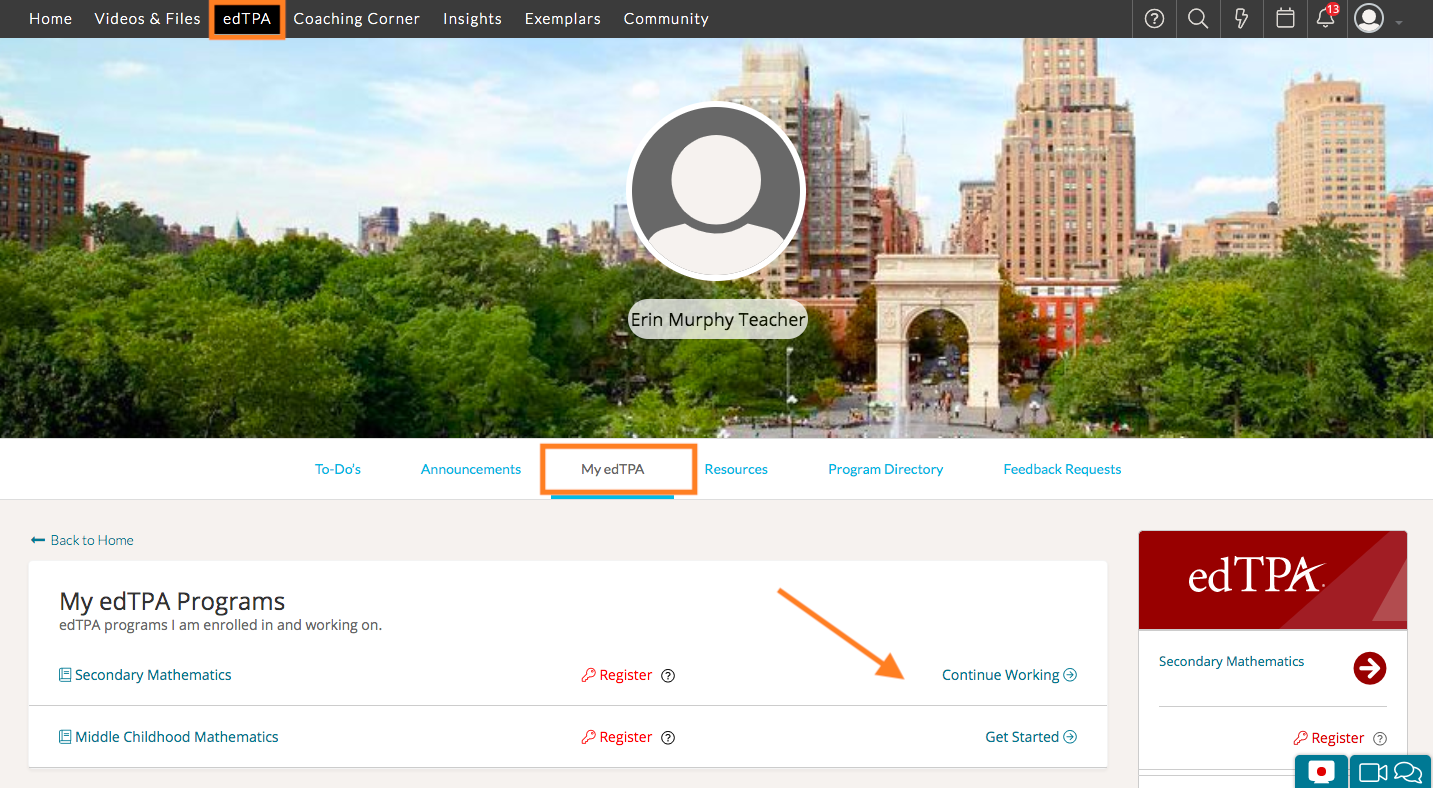
If you would like to view instruction on how to complete your edTPA Portfolio, first navigate to 'edTPA' on your top navigation toolbar. By default, this will bring you to the 'My edTPA' tab. From here, you will see the edTPA programs you are enrolled in.
Click on 'Get Started' or 'Continue Working' if you already started your Portfolio.
Once inside your edTPA portfolio, you will see the instructions on how to complete your edTPA portfolio on the left hand side of the page.
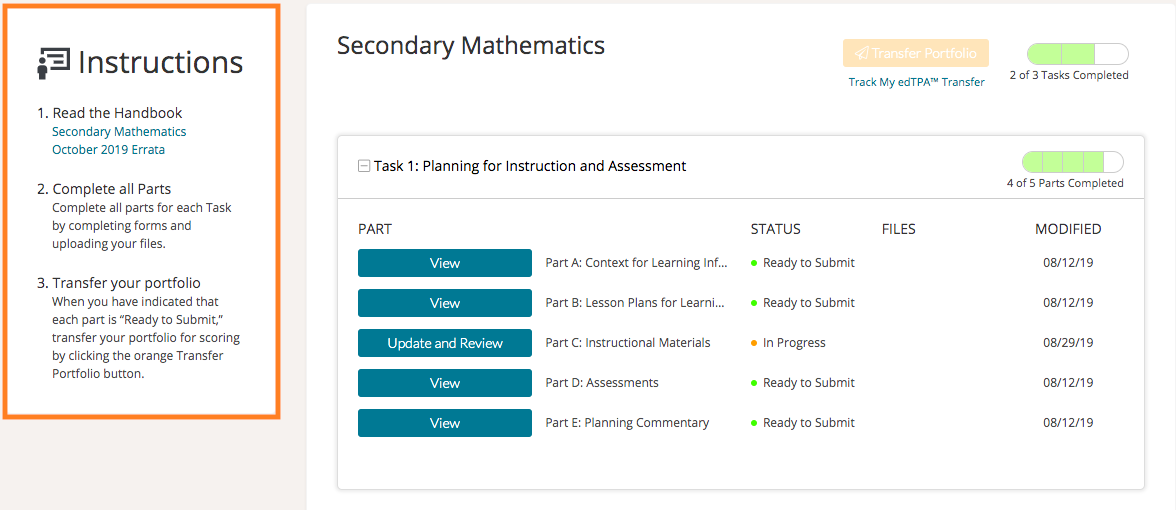
Whenever you start a new Part, you will see the instructions for it on the left-hand side.