
In order to successfully capture the sound in your video using the TORSH Talent mobile app, you must first make sure that the app has access to your iPhone or Android microphone.
Recording on iOS
Navigate to your phone's Settings → TORSH Talent → Microphone. In your Microphone settings, make sure that the application 'TORSH Talent' is set to ON by tapping on the button so it turns green.
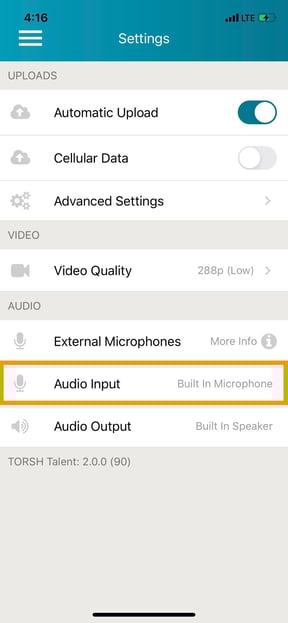
Recording on Android
Open your TORSH Talent app and click the menu icon to go the app Settings. Make sure your audio input is set to your built-in microphone.
If your settings are correct and your video recordings afterward still do not have sound, please reach out to our support desk at support@torsh.co for more assistance!