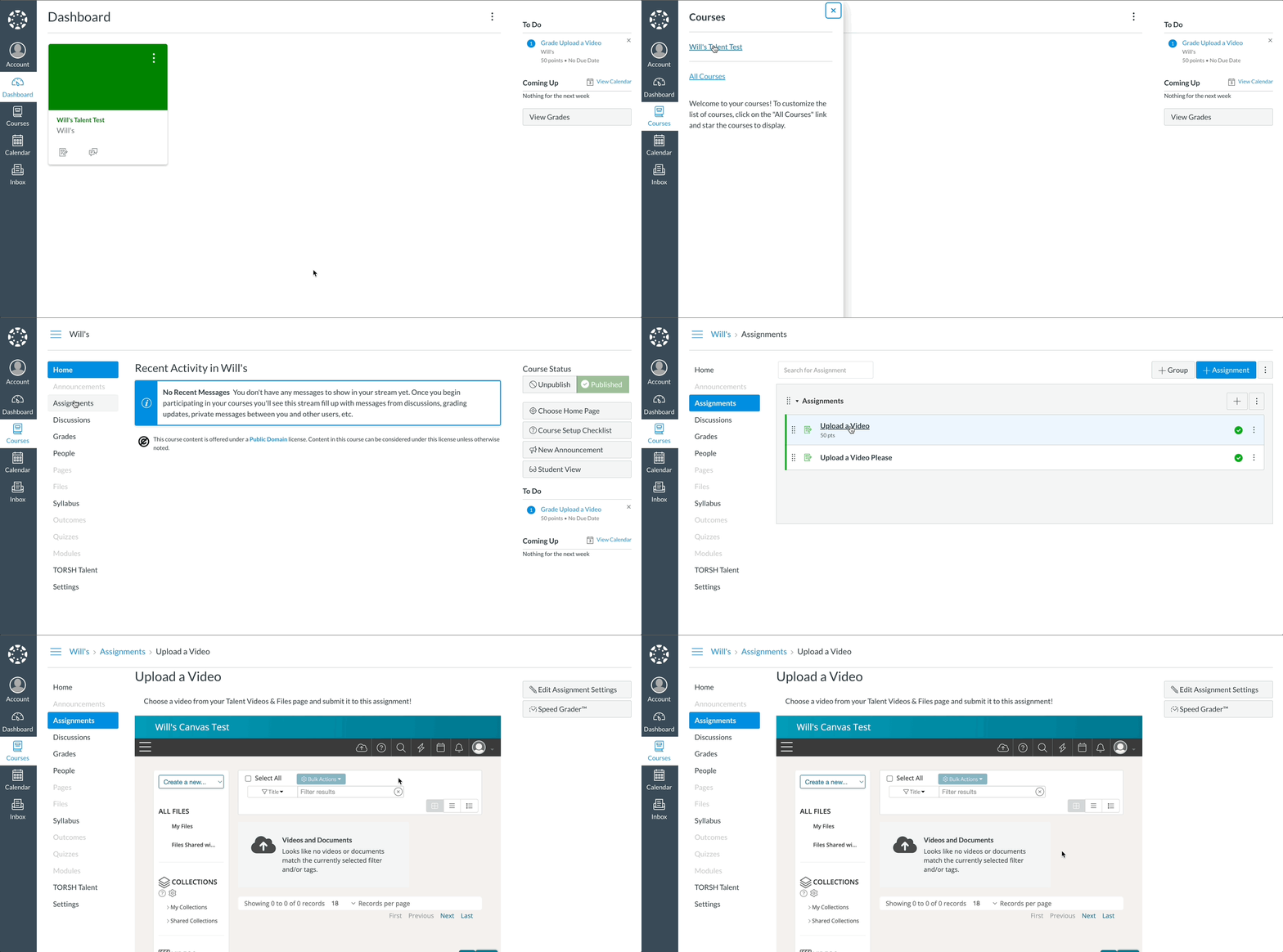
If you are a student with access to TORSH Talent via your Canvas account, you will first need to activate your TORSH Talent account in order to upload and submit videos/files via your Talent-integrated Canvas courses.
To activate your TORSH Talent account, first log in to your organization's Canvas webpage. In Canvas, open your Talent-integrated Course. There are a couple of ways to then access and activate your TORSH Talent account from here. Please see both options below:
I. Activate Via Canvas Course Panel
II. Activate Via Canvas Assignment/Module
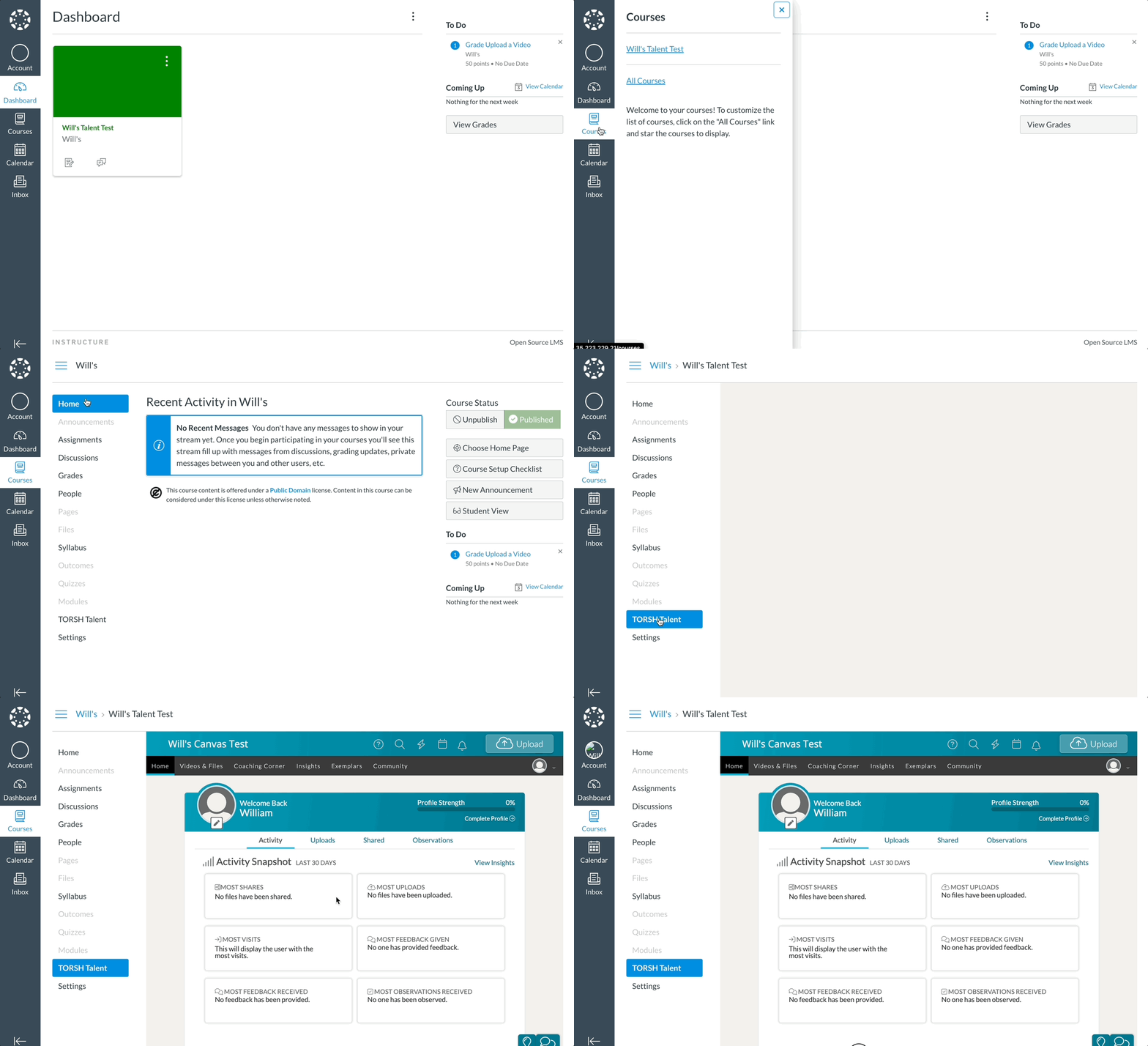
I. Activate Via Canvas Course Panel
Your Course side-panel should now have a 'TORSH Talent' button listed. Click on it, and a TORSH Talent window should display in your Canvas webpage, wherein you will be automatically directed to your Talent homepage!
II. Activate Via Canvas Assignment
If you do not see a 'TORSH Talent' button via your Courses side panel, click on the 'Assignments' listing instead and open one of your assignments with Talent-integration built-in. There you will find a TORSH Talent window inside your Canvas webpage, wherein you will be automatically directed to your Talent home page!
NOTE: If you do not have an 'Assignments' panel, please go to 'Modules' instead and then open your submission assignment from there.
If your organization has account-provisioning enabled with their Canvas integration, opening this webpage for the first time in Canvas will automatically create and activate a new TORSH Talent account for you!